
Broadband Gateway · CGNAT · QoS · Protection
Your Running Config Is Not the Config You Think You Have
not just a change flag
first
anything is written
click
back on the box
flash, counted and shown
Drift is not a sign of a badly run network. It is the natural residue of operating one: an emergency fix, a vendor's recommended workaround, a value tuned during a capacity crunch. The problem is not that it happens — it is that on most platforms drift is invisible between reboots. The box works, so nobody looks, and the divergence quietly accumulates until something restarts and comes back behaving differently to the way it did the day before.
What drift looks like when you can finally see it
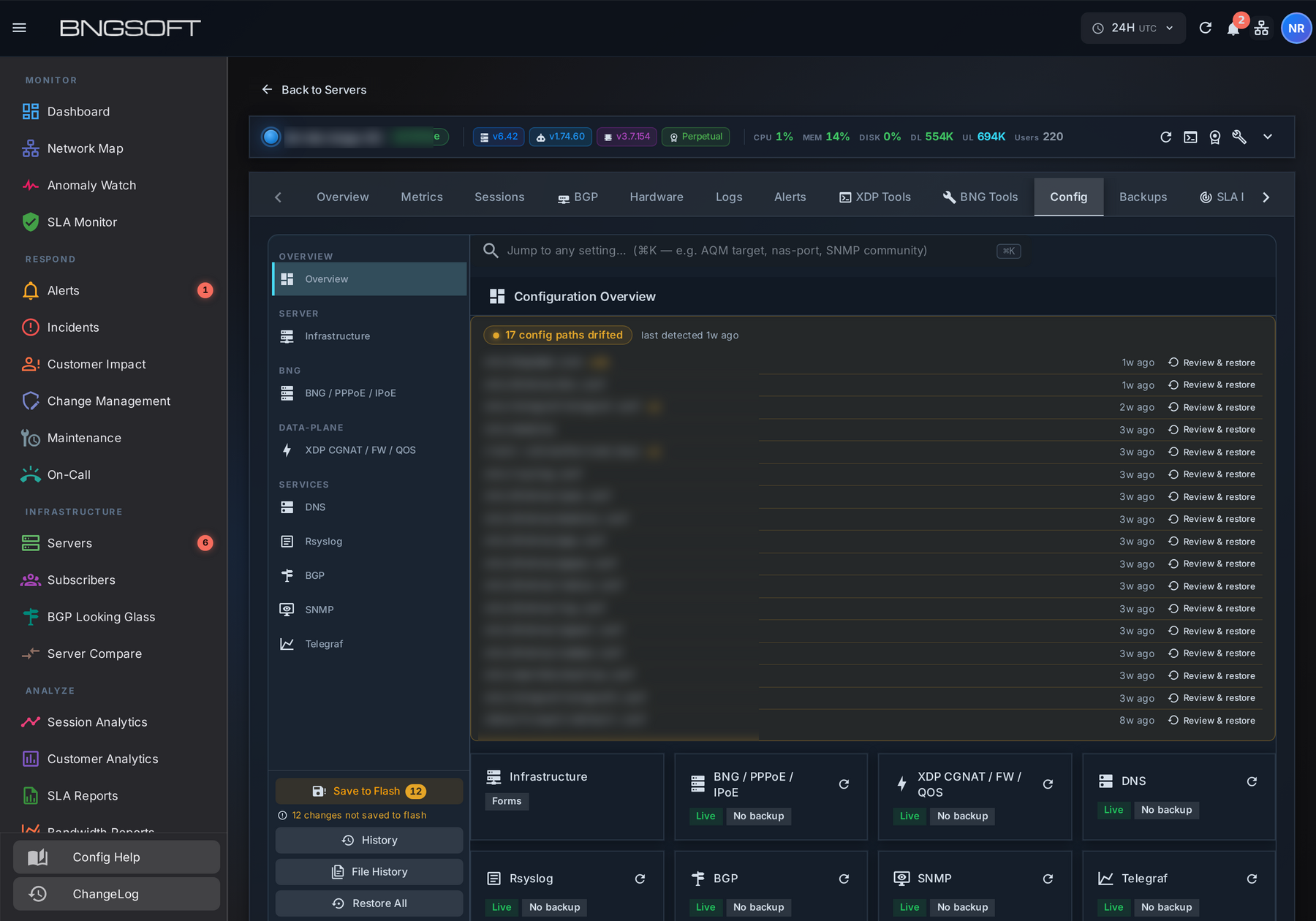
Two details in that list matter more than the headline count. One data-plane configuration file has drifted 44 times — that is not an accident, that is a file somebody edits routinely and never records, and it deserves a template rather than a repair. And an access-control file appears among the drifted paths: drift is not only a service-availability question, it is a security one. A file governing who can log in to a gateway had changed, and until it showed up in this list, nothing said so.
How it works
It refuses to act when there is nothing to act on
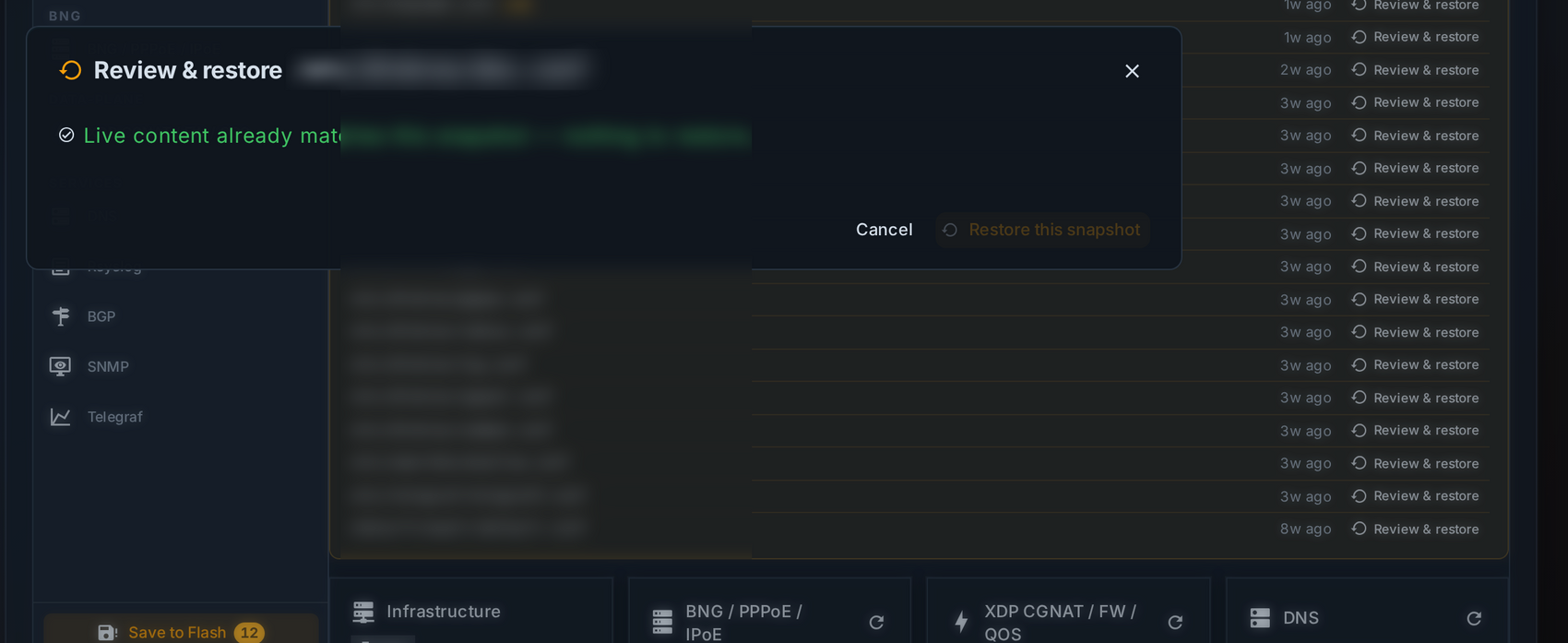
This matters more than it looks. A restore tool that always appears willing to write is a tool that will eventually overwrite a deliberate change with an old snapshot, during an incident, because somebody clicked the obvious button. Checking live content against the snapshot before offering the action is the difference between a recovery tool and a new source of outages.
What most platforms give you instead
Nothing here is a claim that other systems cannot detect a changed file — many can, and configuration-management suites do it well. The gap is in what happens next, and in how much of the workflow the operator has to assemble.
| The operator asks | Typical chassis / router workflow Cisco ASR 9000 · Nokia 7750 SR · MikroTik RouterOS |
BNGSOFT |
|---|---|---|
| "Has anything changed?" | Config archive or an external management tool, if deployed and if the diff job runs. Frequently a scheduled export nobody reads. | Per-file divergence, detected continuously, shown on the node's own page. |
| "How often has this file changed?" | Derivable from archive history by someone willing to go looking. | A repeat count per path, so a routine offender is obvious at a glance. |
| "What exactly is different?" | Diff two archived versions — usually the whole configuration, not the one file in question. | Recorded snapshot against live content, for that path, before any action. |
| "Put it back." | Paste from archive, or a full-config replace with the risk that implies. Often deferred to a maintenance window. | Restore that one file from its snapshot, verified different first, and logged. |
| "Will it survive a reboot?" | Depends on whether someone remembered to save. There is usually nothing counting the gap. | Unsaved changes counted and shown next to the save action itself. |
Why it is worth doing before you need it
- A node that has run for months on undocumented edits
- Restarts, loads what was persisted
- Comes back subtly different — and nobody knows which of forty files moved
- Hardware fails, a node is replaced
- The rebuild matches your records
- Your records were never the thing that was actually running
- Access files drift too
- "Who changed this, and when" is a question with a deadline attached
- A per-file history answers it
Drift is not glamorous and it does not page anyone. It simply sits there, growing, until the day a node restarts and the network behaves in a way that nobody can explain from the documentation. The work of closing it is small — and almost always done after the outage that made it urgent.
Trademarks and non-affiliation. Cisco, IOS XR and ASR are trademarks or registered trademarks of Cisco Systems, Inc. Nokia and 7750 SR are trademarks or registered trademarks of Nokia Corporation. MikroTik and RouterOS are trademarks of Mikrotikls SIA. BNGSOFT is not affiliated with, endorsed by or sponsored by any of them, and names are used for identification and comparison only. The comparison above describes typical operator workflow rather than any specific release or feature set — capabilities vary by version, licence and deployment, and the vendors' own documentation is the authority on what their products do. Figures and screenshots are taken from a production deployment; identifiers are obscured.